How to Add Bates Numbers to PDF for Legal Filing Offline
Published on: June 9, 2026 | Category: Legal & Compliance
Bates numbering is the global industry standard for labeling legal and financial documents for courtroom discovery or compliance filing. If you need to add custom sequential Bates stamps offline to secure patient logs or litigation records, you need a high-speed local processing solution.
Step-by-Step Guide to Apply Bates Numbering to PDFs Securely Offline
Legal professionals, paralegals, and compliance teams deal with Bates numbering every day. Court filings, discovery documents, and evidentiary records all require unique sequential identifiers that cannot be altered or tampered with. This step-by-step guide walks through adding professional Bates numbers to your PDFs using a desktop tool that keeps your case files private.
Follow these 3 simple steps to complete your task in seconds:
- Run PDF Agile Locally: Download and open the professional offline client PDF Agile, and import your files.
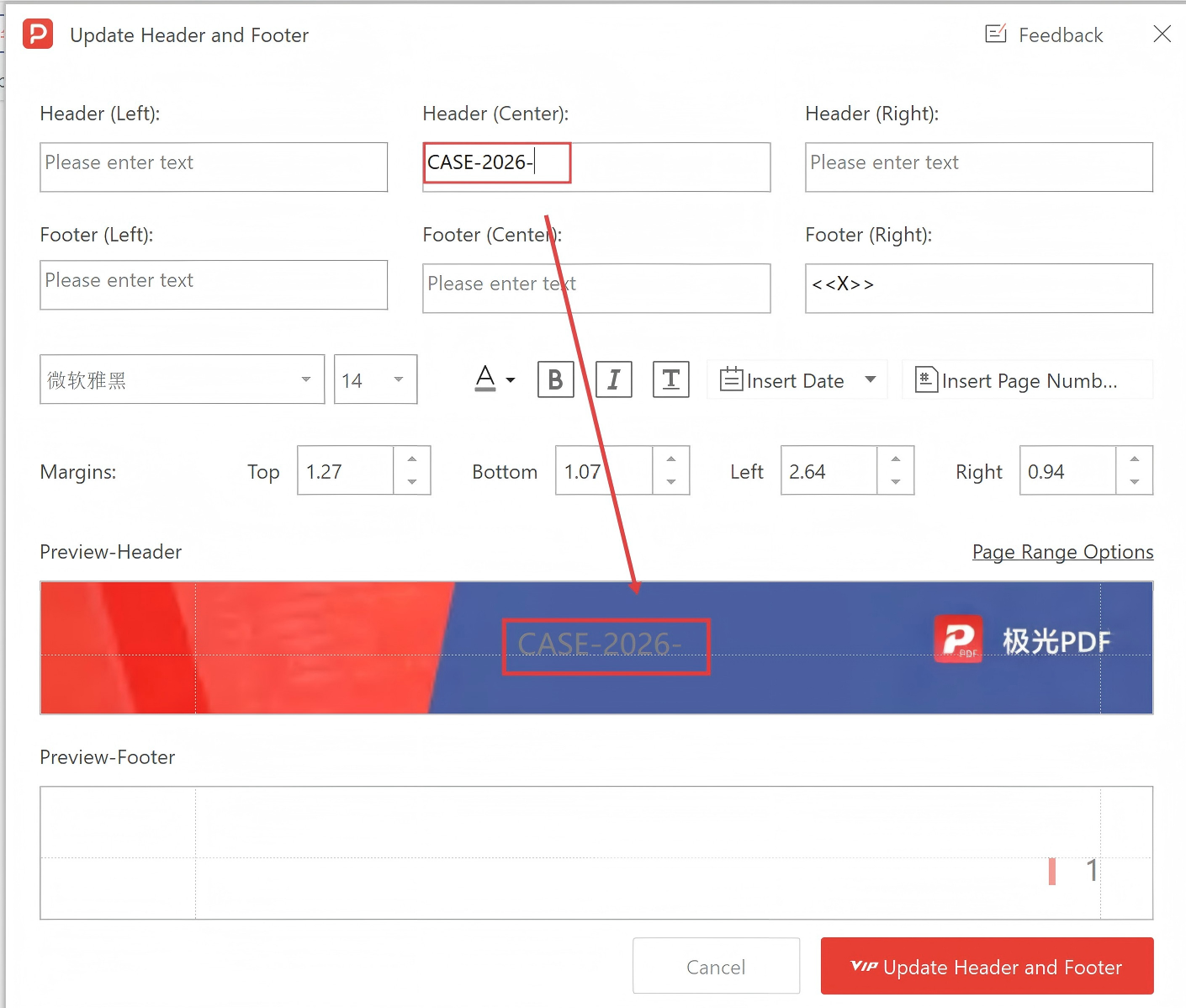
- Open Headers and Footers: In the toolbar, find and click the Header & Footer option.
- Configure Prefix & Range: Enter your designated Case ID prefix (e.g.
CASE-2026-), set the digit length, and select your page ranges. Click Apply to stamp thousands of pages in milliseconds.
Pro Tip: PDF Agile preserves court-admissible formatting and handles locked layers easily, allowing legal clerks to automate productions safely client-side.
Need Safe Local PDF Formatting?
Download PDF Agile to batch-paginate, crop margins, insert headers/footers, and split dual-column pages with 100% offline security.
Download PDF Agile for Windows